AI Agent for Unreal Engine
Build levels, create and edit Blueprint graphs, analyze any project, generate 3D models, and manage assets through natural language. Direct editor control with zero abstractions.
Everything you need. One agent.
Direct control over the full Unreal Engine editor. No plugins to chain, no boilerplate — just describe what you want.
Level Design
Spawn actors, compose scenes in batch, arrange geometry / lighting, World Partition + streaming queries.
Blueprint Authoring
13 narrow tools — bp_create / bp_class / bp_variable / bp_component / bp_graph_write / bp_nodes / bp_wire / bp_input / bp_commit / bp_author. 40+ node types, auto-repair, atomic spec transactions.
Blueprint Inspection
bp_brief + bp_inspect (18 ops) + bp_export. Variables, functions, components, execution flow, full graph JSON.
Materials & Shading
43 ops — create materials / instances / functions / MPCs. Expression graph authoring, custom HLSL, parameter overrides, auto-layout + recompile.
VFX (Niagara + Chaos)
Niagara systems + script modules for particles. Chaos Geometry Collections for destruction. Ramp authoring for curves.
Animation System
AnimBP state machines, montages, blend spaces, IK rigs + retargeters, bone tracks, morph targets, notify events.
Widget / UI Design
80+ ops — 40+ native widget types, slot layouts, fonts + brushes, event binding, keyframe animations, MVVM ViewModels, PIE spawn + live inspect.
AI, Behavior Trees, GAS
Build full trees from JSON. Blackboards, AI Controllers + perception, NavMesh + EQS, Gameplay Abilities + Effects + Attribute Sets, StateTrees, Smart Objects, gameplay tags.
Landscape & Foliage
Sculpt terrain semantically (mountains, valleys, craters, plateaus). Paint weight layers. Scatter foliage by radius / layer / exact transform.
Cinematics
Sequencer — actor bindings, transform / animation / audio / camera / event / fade tracks with keyframe interp. Camera cuts + shot switching.
Audio
MetaSound graphs — oscillators, filters, envelopes, mixers. SoundCues, SoundClasses, Attenuations with spatialization.
PCG (Procedural)
PCG graph authoring — point generators, samplers, filters, transformers, density ops, mesh spawners with typed pin wiring.
3D Generation
Text or image to rigged 3D characters with 8 stock animations. Auto-imports as SkeletalMesh with full skeleton.
C++ Source Code
Read / write .h / .cpp with auto-backup. Create new UCLASS / USTRUCT / UENUM headers. Parse UE reflection macros, trigger Live Coding hot-reload.
Data Assets
56 ops — Enums, Structs, DataTables (bulk JSON import), Data Assets from any subclass, Enhanced Input (IA + IMC + modifiers + triggers).
Runtime Verification (PIE)
pie_test_bp + pie_test_scene — auto-plan from a task description, inject inputs, 30+ assertion types (dispatcher_fired, anim_state, bt_task_ran, niagara_activated, overlap_detected) plus vision + baseline pixel-diff.
Physics & Collision
Collision profiles + physical materials + object type responses. Chaos destruction with clustering + damage thresholds.
Editor Automation
Undo / save / build lighting / compile / PIE / viewport modes. Performance audit, Output Log tailing, viewport capture.
Agent Toolkit
Interface tools built for fast, focused iteration inside your editor.
Multi-Model AI
Claude, GPT, Gemini, Grok — auto-routes to the best model
Voice Input
Speak your commands naturally
Image Context
Screenshots, reference art, viewport captures
Reasoning Depth
Control speed vs. thinking per request
Describe. Execute. Ship.
Describe your task
Type in plain English. Attach assets with @, use voice, or paste reference images.
Agent plans & executes
Selects the right tools, inspects project state, executes in the editor, and handles errors.
Review & iterate
See results in your viewport instantly. Undo, request changes, or keep building. History preserved.
18
Capability Domains
700+
Editor Operations
UE 5.3–5.8
Engine Support
15+
AI Models
Your Unreal project. Any AI client.
One URL, one API key. If your IDE or AI tool supports MCP, it can inspect, search, and build inside your running Unreal Editor — right now.
Standard HTTP
Plain HTTP + JSON-RPC — the official MCP transport. No SDKs required.
Any Device
Desktop IDEs, cloud workspaces, remote servers, CI pipelines.
Any Model
Claude, GPT, Gemini, Llama, Qwen, Mistral — your choice.
Free tier: 20 tools to inspect, edit, and build — forever. No credit card required.
See it in action
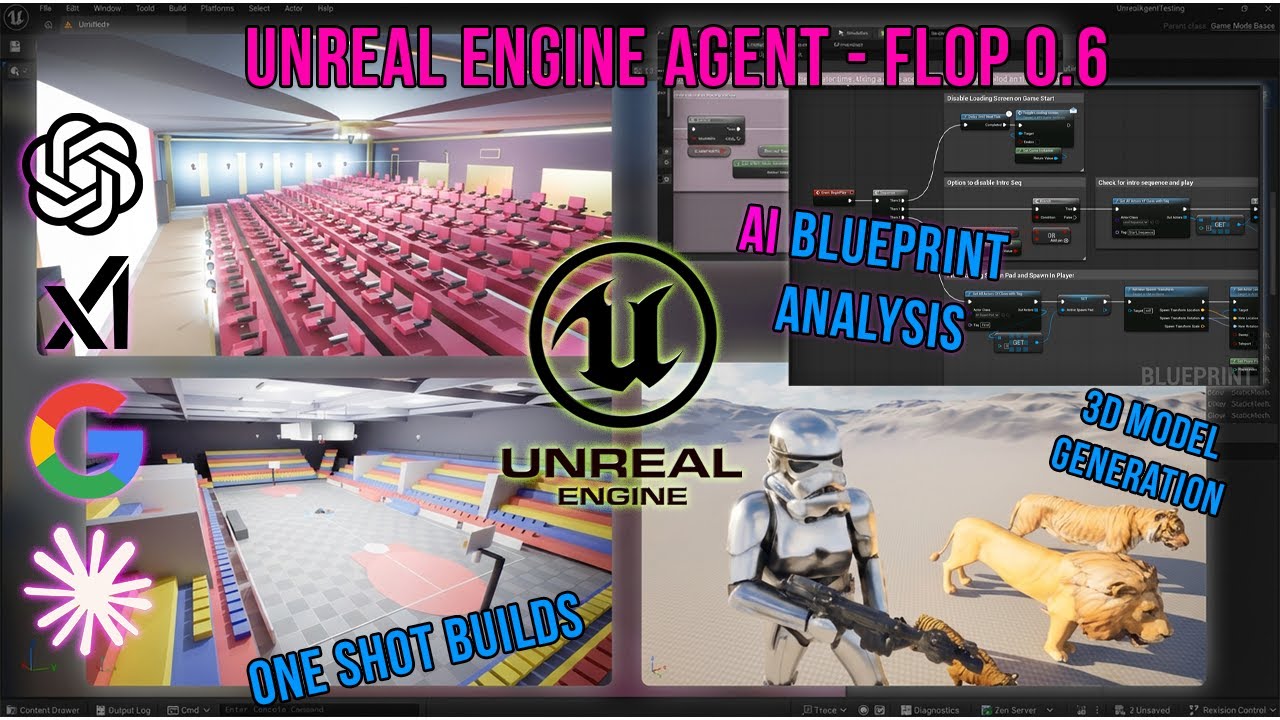
Watch the agent build levels, edit Blueprints, and create materials — all from natural language.